
Authentication
Authentication
The CDP Public API v1 uses API key authentication. All API requests must include a valid API key as a Bearer token in the Authorization header.
Credentials
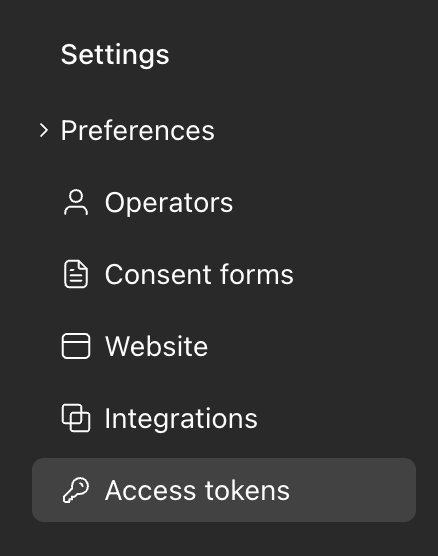
To access the API you will receive an API key from your organisation settings:
Making Authenticated Requests
Include the API key in the Authorization header of every request:
curl --request GET \
  --url https://cdp.bookboost.io/api/v1/profiles \
  --header 'Authorization: Bearer YOUR_API_KEY' \
  --header 'Content-Type: application/json' \
--header 'Accept: application/json'const response = await fetch("https://cdp.bookboost.io/api/v1/profiles", {
method: "GET",
headers: {
"Authorization": "Bearer YOUR_API_KEY",
"Content-Type": "application/json",
"Accept": "application/json",
},
});
const data = await response.json();$response = Http::withHeaders([
'Authorization' => 'Bearer YOUR_API_KEY',
'Accept' => 'application/json',
])->get('https://cdp.bookboost.io/api/v1/profiles');
$data = $response->json();Key Lifecycle
API keys do not expire by default, but your Bookboost account manager can set an expiration date or revoke a key at any time. A key becomes inactive if it is either expired or revoked.
| State | Description |
|---|---|
| Active | The key is valid and can be used to make requests |
| Expired | The key has passed its expiration date |
| Revoked | The key has been manually revoked by an administrator |
To rotate your API key or request a new one, contact your Bookboost account manager.
Error Responses
| Status | Scenario | Response Body |
|---|---|---|
401 | Missing, expired, revoked, or invalid key | "Invalid API Key" |
429 | Rate limit exceeded | Too Many Requests |
"Invalid API Key"Rate Limiting
Requests are limited to 500 per minute per API key. When the limit is exceeded the API returns 429 Too Many Requests. Implement backoff and retry logic in your integration.
Best Practices
- Never expose your API key in client-side code, public repositories, or logs.
- Store the key in environment variables, not in source code.
- Use one key per integration. If you have multiple integrations, request a separate key for each.
- Use HTTPS only. The API rejects plain HTTP requests.
Updated about 2 months ago